Piazza del Duomo, Milan, Italy
", [...] } ``` These coordinates correspond to a specific location where customers should go for the start of their activity. When coordinates are present, the `where_text` property contains the human-friendly street address, based on the value of the `Accept-Language` header. ## Meeting point instructions An activity may contain additional details about the meeting point: ```json { [...] "meeting_point": "Show your ticket at the museum entrance", "meeting_point_markdown": "Show your ticket at the museum entrance", "meeting_point_html": "Show your ticket at the museum entrance
", [...] } ``` The exact contents of this property can vary, but it is meant to help find the meeting point or understand what customers need to do when they arrive. ## On [musement.com](https://www.musement.com) You can see meeting points in action on [musement.com](https://www.musement.com). We show customers the street address, meeting point instructions and a point on a map: 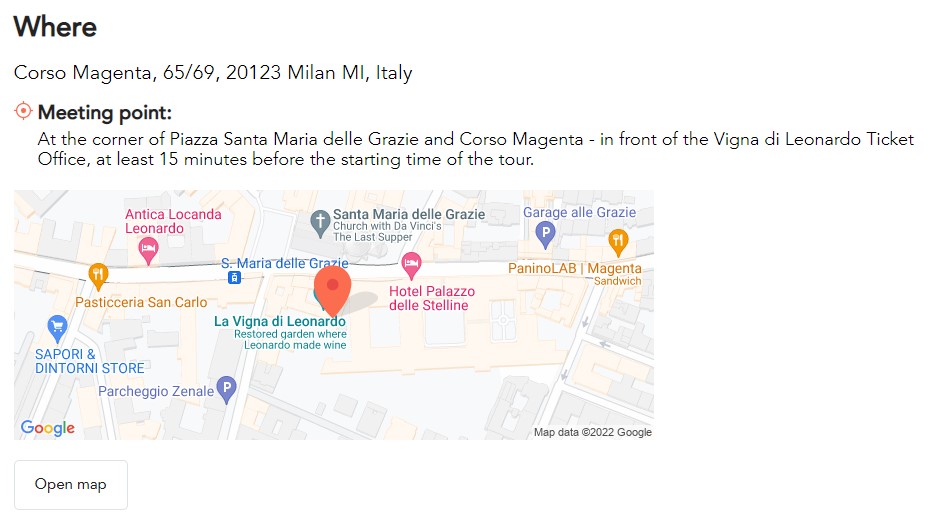 If any of the properties are missing, we do not show them. In the example below, we only need an address and a point on a map: 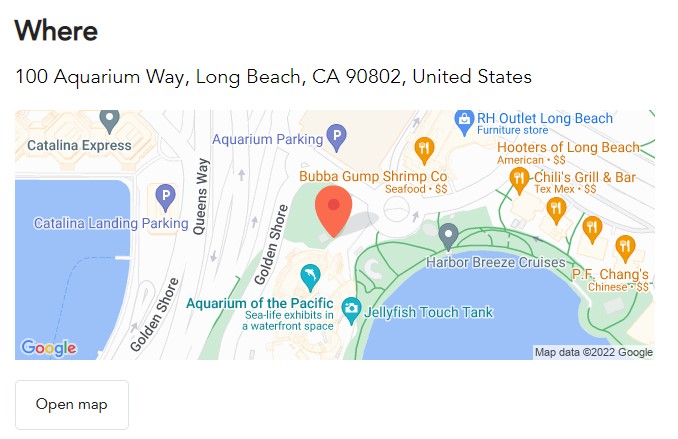 ## Sorting You can sort results in the `/activities` endpoint based on the meeting point's proximity to a specified set of coordinates using the `sort_by` query parameter. This type of sorting requires two additional query parameters: * `coordinates`: The latitude and longitude separated by a comma. * `distance`: The radius around the coordinates to search. You must specify the unit of measure: miles (M) or kilometers (KM). A `sort_by` value of `distance` will sort results from closest to farthest: ```bash curl -X GET '{baseUrl}/activities?coordinates=45.459,9.183&distance=5KM&sort_by=distance' \ -H 'X-Musement-Application: {applicationValue}' \ -H 'X-Musement-Version: 3.4.0' \ -H 'Authorization: Bearer {accessToken}' ``` To invert the sorting, from farthest to closest, use a `sort_by` value of `-distance` instead: ```bash curl -X GET '{baseUrl}/activities?coordinates=45.459,9.183&distance=5KM&sort_by=-distance' \ -H 'X-Musement-Application: {applicationValue}' \ -H 'X-Musement-Version: 3.4.0' \ -H 'Authorization: Bearer {accessToken}' ```